Best Landscaping Quoting & Estimating Software in 2026
Compare the best landscaping quoting software for small businesses. This guide breaks down pricing, profit-visibility features, and real worked examples so you can choose the tool that fits how your crew actually quotes and sells work.
GreenMargins Team
Landscape software research team · Last updated: April 10, 2026
Pricing Check
Compared against public vendor pages and published plan data available in April 2026.
Intent Coverage
Covers quoting, estimating, proposal building, and pricing workflows — the features landscapers actually search for when preparing and pricing work.
Best For
Landscape companies that want faster quoting without losing margin visibility.
Quick Answer
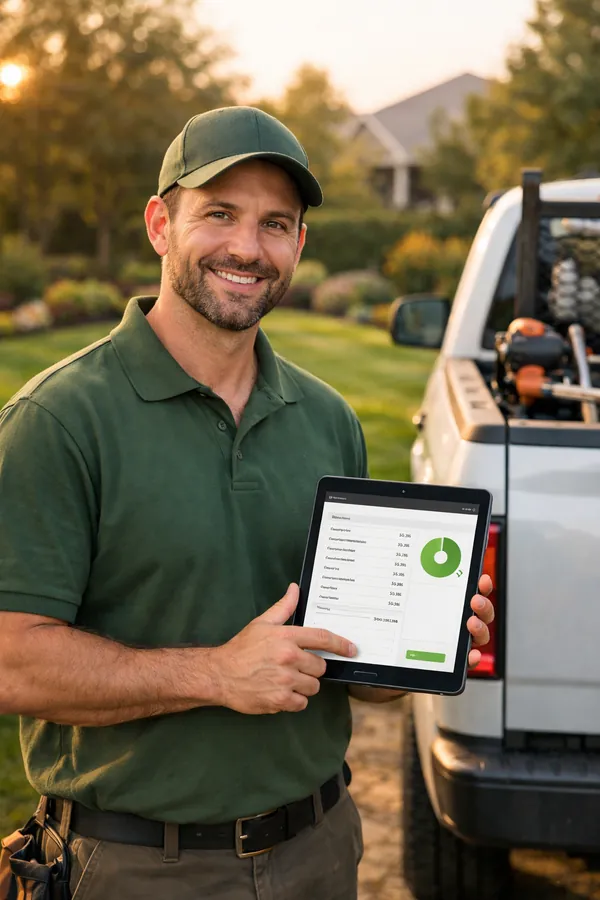
If you want landscaping quoting software that shows real job profit before you hit send, GreenMargins is the best fit for most small businesses. If your first priority is dispatching crews and managing day-to-day service operations, Jobber is the stronger operations-first choice. If you run a larger landscaping company with complex estimating workflows, LMN is built for that level of process.
The right answer depends on whether you need margin visibility, scheduling, or enterprise estimating depth. Most landscapers search for one tool and discover they actually need a combination of quoting and operations software.
Why Bad Quotes Cost More Than Lost Jobs
Losing a bid hurts. Winning a bid that loses money hurts worse. Most small landscaping companies are undercharging on at least some of their jobs because their quoting process does not account for labor burden, drive time, or overhead recovery.
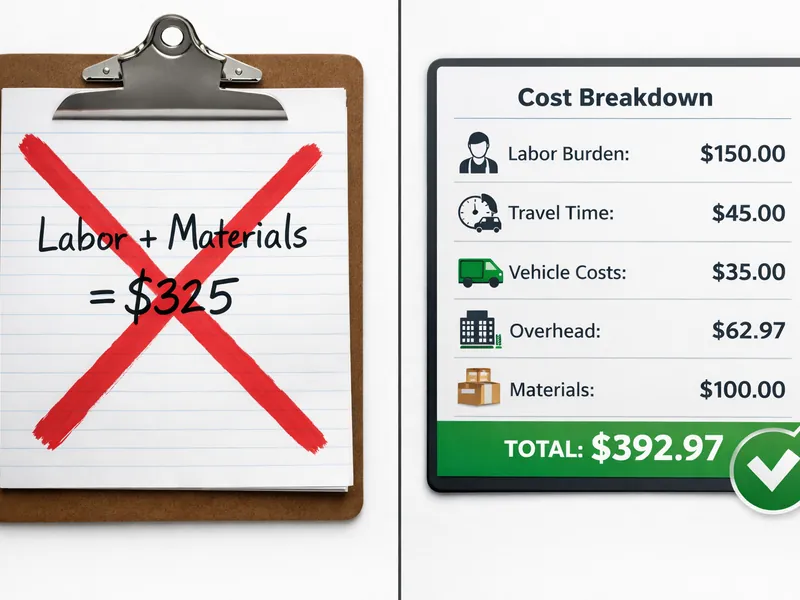
In the worked example below, a $325 lawn maintenance quote looks profitable until you factor in the real costs: a $28/hour crew member actually costs $38.92/hour after payroll taxes and workers' comp, and 25 minutes of unpaid drive time eats into production hours. The result? A $67.97 loss on a job the contractor thought was profitable.
This is exactly the kind of invisible margin leak that good quoting software prevents. If your tool does not show real cost, markup, and profit before you send the quote, you are guessing — and guessing wrong on enough jobs will quietly bankrupt your season.
What to Look for in Landscaping Quoting Software
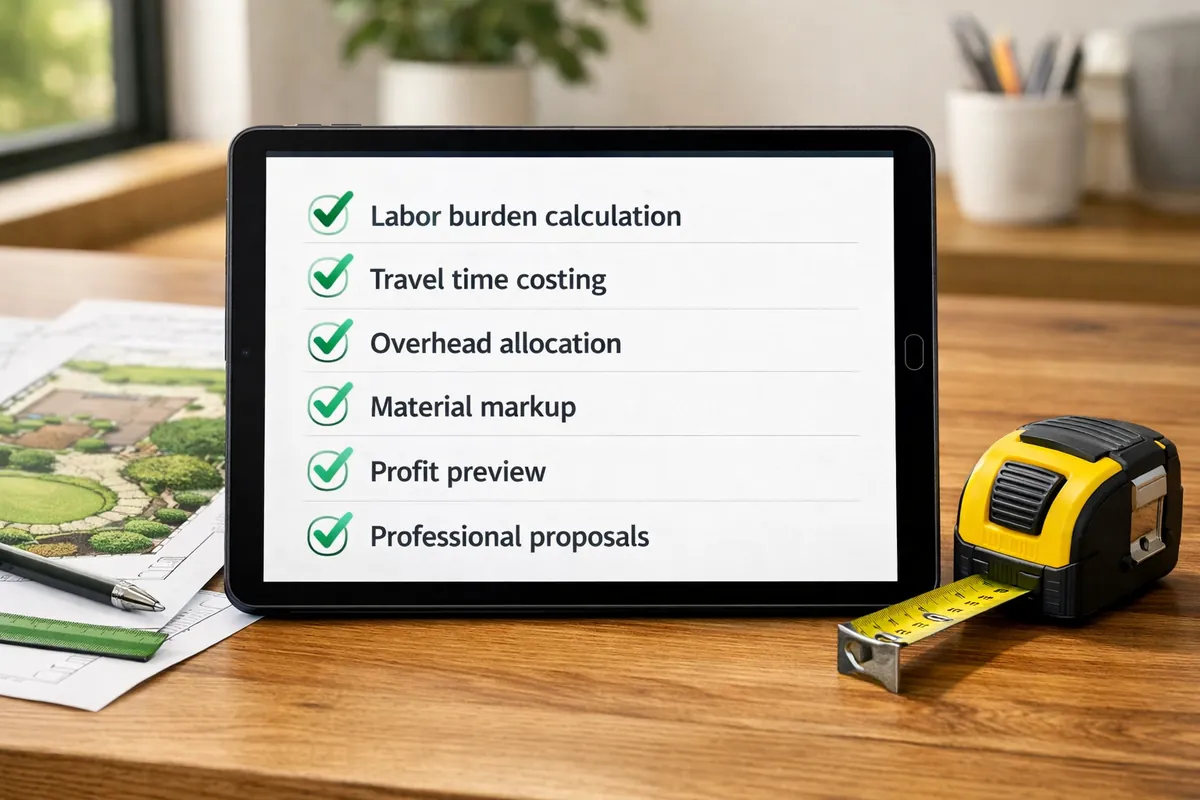
Not every quoting tool is built to protect your margins. Here are the features that actually matter for landscape contractors:
Labor burden calculation
Converts hourly pay into true cost (payroll tax, workers' comp, benefits) so your quotes reflect what labor actually costs you.
Drive time and travel costing
Counts windshield time as a real cost. If your crew drives 30 minutes each way, that is an hour of paid time with zero production.
Overhead allocation
Spreads fixed costs (insurance, rent, truck payments) across quotes so every job contributes to overhead recovery.
Profit margin visibility before sending
Shows net margin on the quote screen — not just after the job closes. If you cannot see margin before you hit send, you are guessing.
Multi-option / good-better-best proposals
Lets you present tiered service options in a single quote so customers choose scope while you maintain margins on every tier.
Material and equipment cost tracking
Links material quantities to real supplier pricing so you are not quoting last year's costs on this year's jobs.
Quoting vs. Estimating vs. Bidding: What's the Difference?
Landscapers use these words interchangeably, but they describe three distinct steps. Understanding the difference helps you pick software that covers your real workflow — not just one slice of it.
Estimating
Internal cost build. You add up labor hours, material quantities, equipment usage, travel time, and overhead to find your true cost to deliver the work. This number stays on your side of the desk.
Quoting
Customer-facing price. You take the estimate, layer on your target margin, and present a polished proposal the homeowner actually sees. The quote is what they sign.
Bidding
Competitive pricing. When you're competing against other contractors — often on commercial work — you adjust the quote to win the job while still protecting your margin floor.
The best landscaping software combines all three: it lets you build an estimate, convert it into a professional quote, and adjust pricing when you're bidding against competitors. Tools that only handle one step force you to fill the gaps with spreadsheets.
Industry consolidation note: LMN and SingleOps are now both owned by Granum. Aspire and Crew Control are both under ServiceTitan. When evaluating vendors, consider how these parent companies may affect pricing, integration, and long-term product direction.
Looking for takeoff or measurement software instead? See our separate guide: Best Landscape Takeoff Software (2026).
Landscaping Quoting Software Comparison
| Software | Starting Price | Best For | Strongest Feature | Watch Out For | Trial / Buying Path |
|---|---|---|---|---|---|
| GreenMarginsRECOMMENDED | $59/month | Small landscaping companies that need real margin visibility | Shows labor burden, travel, overhead, markup, and profit before the quote goes out | Not a full dispatch CRM if scheduling is your primary bottleneck | 14-day free trial, no credit card |
| Jobber | $49 to $199/month | Service businesses prioritizing scheduling, dispatch, and customer communication | Very polished operational workflow and customer-facing quote experience | Profitability controls are lighter than dedicated job costing tools | Free trial |
| LMN | $297+/month | Larger landscaping companies with more formal estimating and production workflows | Deep estimating, budgeting, and job costing for mature operations | Higher price point and more implementation overhead for small teams | Demo-led purchase |
| SingleOps | $220 to $550/month | Tree care and landscape companies needing ops + proposal tools | Options-based proposals with crew management and job costing | Per-user add-on pricing ($55–$150/mo) adds up fast on growing teams | Demo-led purchase |
| SynkedUP | $359/month | Landscape businesses that want an all-in-one profit-focused operations platform | Strong positioning around overhead recovery and priced-right estimates | Higher monthly cost than most small crews need at the start | Demo / pricing page |
* Pricing checked against publicly available vendor pages in April 2026. Some platforms use custom quotes or demo-led pricing. LMN and SingleOps are both owned by Granum. Aspire (not listed — no public pricing) is owned by ServiceTitan.
Worked Examples: Where Different Landscaping Software Wins
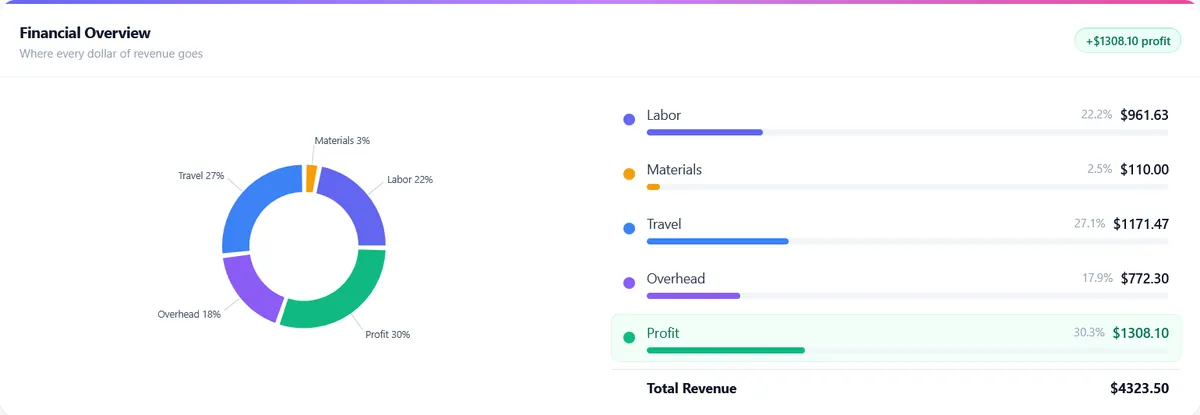
The best landscaping quoting software depends on the kind of work you sell. These three examples show where margin visibility, accurate cost builds, and multi-option proposals make the biggest difference.
Example 1: Recurring Maintenance Quote
- 2 workers × 4 hrs × $25/hr$200.00
- Materials$50.00
- Estimated Cost$250.00
- Quote at 30% markup$325.00
Looks profitable on the surface, but key costs are still missing.
Best Tool Fit: GreenMargins
- Labor (with 35% burden)$270.00
- Travel time (25 min × 2 workers)$28.13
- Vehicle cost (12 mi × $0.82)$9.84
- Materials$50.00
- Overhead allocation$35.00
- True Cost$392.97
At $325 quote: You would lose $67.97
GreenMargins suggests: $510 for a 23% margin
Why this matters: Most landscapers do not account for labor burden, travel time, or overhead allocation. That is why recurring service quotes often look profitable and still underperform.
Example 2: $4,800 Mulch + Shrub Refresh
Enhancement jobs look simple to quote, but material waste, delivery fees, and labor setup time vary from one property to the next. A crew that quotes $4,800 using a flat materials markup often misses $200–$400 in disposal, delivery surcharges, and travel between the supplier and the site.
Quoting software that builds material cost, labor burden, and overhead into the price — before the proposal goes out — catches those leaks automatically. Templates speed things up, but only if the template includes real cost math underneath.
Best fit: GreenMargins for margin visibility on every line item, or Jobber plus GreenMargins if you already schedule routes in Jobber.
Example 3: Good / Better / Best Landscape Renovation
A homeowner asks for a backyard refresh. Instead of sending one flat price, you present three tiers: Good (clean-up, mulch, and basic plantings at $3,200), Better (add a stone border and irrigation at $6,400), and Best (full redesign with lighting and a patio extension at $12,800).
Multi-option quoting raises average ticket size because most homeowners pick the middle tier. But only quoting software that shows your margin on each tier protects profitability — the "Best" package should not cost you more to deliver than it adds in revenue.
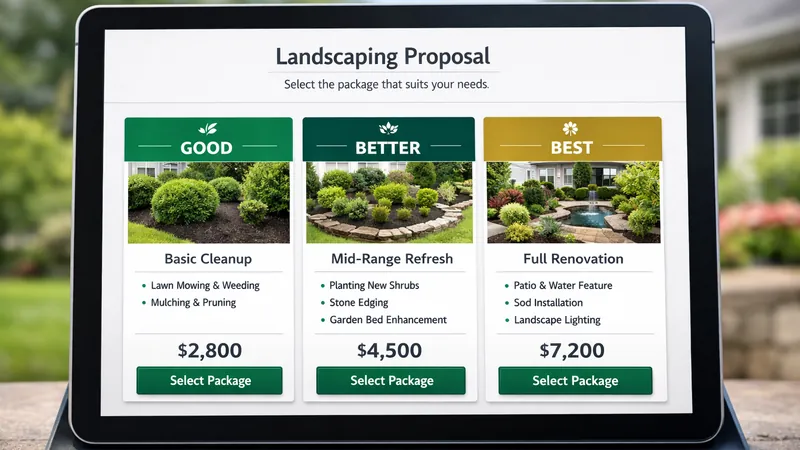
Best fit: GreenMargins for tiered quotes with margin visibility on every option, or SingleOps for options-based proposals with integrated crew management.
Why GreenMargins Ranks First for Most Small Landscaping Teams
The biggest gap on most landscaping software pages is simple: they talk about faster quotes, but they do not spend enough time on whether the quote is profitable. That is why GreenMargins is the strongest choice for smaller crews that need pricing discipline more than operational complexity.
Builds quotes from a voice recap
AI voice quoting: dictate the job in the truck after the site visit and the draft quote (scope, hours, materials at your prices) is ready before you drive off. None of the other tools here do this.
Calculates true labor cost
Including payroll taxes, workers comp, and benefits. A $25/hr employee actually costs $35-40/hr.
Includes travel time costs
Using Google Maps integration. That 25-minute drive costs more than you think.
Allocates overhead per job
Each quote covers its share of fixed costs like rent, insurance, and equipment.
Shows profit margin before sending
Never win a job that loses money. See exact profit in dollars and percentage.
Affordable pricing from $47/month (US)
Compared to enterprise tools like LMN at $297+/month or SynkedUP at $359/month. 14-day free trial included.
Choose GreenMargins if...
You care most about margin control, quote profitability, and knowing which jobs are worth taking before they hit the schedule. $59/mo, 14-day free trial.
Choose Jobber if...
Your main pain is scheduling, dispatching, invoicing, and customer communication across a service business. Pairs well with GreenMargins for quoting.
Choose LMN if...
You already operate with more formal estimating, budgeting, and production management processes and can support a heavier rollout. Starts at $297/mo.
Choose SingleOps if...
You run tree care or larger landscape operations and need options-based proposals with crew management and job costing in one platform. $220–$550/mo plus per-user add-ons.
Choose SynkedUP if...
You want an all-in-one platform built around overhead recovery and priced-right estimates, and your team can invest in the learning curve. Starts at $359/mo.
GreenMargins also works well alongside scheduling tools like Jobber. Use Jobber for routing and customer management, then use GreenMargins to know if the job is actually worth taking. If you want more context on the costing side, read our guide on what software landscapers use to calculate job costs and our breakdown of how landscapers track material costs. For pricing guidance, see how to price landscaping jobs without losing money, what profit margin landscapers should charge, the easiest way to calculate labor burden, and how much landscapers should charge per hour.
Can These Tools Handle Landscape Estimating Too?
Most landscapers searching for "quoting software" also need estimating — the internal cost-building step that happens before the customer ever sees a price. Here's how each tool stacks up on the estimating side:
GreenMargins
Built around estimating first. Every quote starts as a cost estimate — labor burden, travel time, materials, and overhead are calculated before the customer-facing price is generated. You see your margin before you click send.
LMN
Strong estimating engine with production rates, crew costing, and overhead allocation. Designed for mid-to-large operations that need granular cost breakdowns across departments.
Jobber
Primarily a quoting and scheduling tool. You can set line-item costs, but there's no built-in labor burden, overhead, or margin calculator — estimating happens outside the tool.
SynkedUp
Has estimating features with man-hour tracking and overhead inputs. Geared toward smaller crews that want cost visibility without enterprise complexity.
Aspire
Full estimating suite with budget vs. actual tracking. Built for large commercial operations — the depth is there, but so is the price tag and onboarding time.
For a deeper comparison focused on the estimating workflow, see our dedicated guide: Best Landscaping Estimating Software (2026).
Frequently Asked Questions
Best Quoting Software by Business Size
No tool is best for everyone. Here is which of the five tools above we would pick at each stage, based on real workflow needs and the pricing in the comparison table.
Solo operators & side hustles
You are estimating, quoting, invoicing, and turning the wrenches. Your biggest risk is underpricing because you do not know your real burdened hourly rate.
Our pick
GreenMargins — $59/month
Cheapest tool here that calculates labor burden, travel, and overhead. No demo call required, 14-day trial without a credit card. Read why solo crews use it in our solo landscaper quoting guide.
Skip: LMN, SynkedUP, and SingleOps — their entry tiers are 4–9× more expensive and built for multi-crew operations you do not run yet.
Growing crews ($150K–$750K revenue)
You have crews in the field while you sell. You need accurate quotes that protect margin even when you are not on site, plus a way to compare estimated hours vs actuals to fix bad estimates.
Our pick
GreenMargins Team plan — $99/month
Adds multi-crew support, job actuals tracking, and per-crew profitability without the $300+/month jump to LMN. Pair it with Jobber for scheduling if dispatch is your weak spot — see how to combine the two.
Consider Jobber + GreenMargins if scheduling and customer messaging are your priority and quoting profit is secondary.
Established multi-crew companies
You run multiple crews, salaried staff, and complex commercial bids. You need budgeting, production tracking, and an estimating workflow your project managers can own.
Pick depends on workflow
LMN or SynkedUP — $297–$359/month
If you live and breathe estimating templates and crew budgeting, LMN. If your bottleneck is field-to-office data flow on commercial accounts, SynkedUP. Many shops at this size pair one of them with GreenMargins Pro ($199) for fast quoting on residential add-ons.
Skip: SingleOps unless you also need lead-gen, CRM, and payments under one roof — you will pay for modules you do not use.
Still not sure which fits? See our deeper guide on the best landscaping estimating software or run the numbers on your own jobs with our free labor burden calculator.
Related Guides
What's Better Than Jobber for Job Costing?
Compare Jobber vs dedicated job costing software
Professional Quotes for Solo Landscapers
Create professional quotes without the overhead
Top Reasons Small Businesses Choose GreenMargins
Why small landscaping businesses switch to GreenMargins
What Software Do Landscapers Use to Calculate Job Costs?
Overview of job costing software options
See Your Real Profit on Every Quote
Stop guessing. Start knowing exactly what you'll make—before you send the quote.
From $47/month (US) · 14-day free trial · No credit card required
See what one quote is costing youUpload one estimate — see every hidden cost and your true margin in 60 seconds. Free, no signup needed. Or start a free trial.