Best Landscape Takeoff Software in 2026
Compare landscape takeoff software, estimating tools, and job costing systems. This guide shows which tools handle plan measurements, material quantities, and pricing so you pick software that matches the type of landscape work you actually bid on.
GreenMargins Team
Landscape software research team · Published: April 10, 2026
Pricing Check
Compared against public vendor pages and published plan data available in July 2026.
Intent Coverage
Covers plan-based takeoffs, on-site estimating, material calculations, and job costing.
Best For
Hardscape installers, commercial landscapers, and residential contractors bidding from plans.

Quick Answer
If you regularly measure quantities from architectural plans or blueprints, PlanSwift is the fastest standalone takeoff tool for landscaping at $2,000/year. If your team collaborates on larger commercial bids, STACK offers the best cloud-based workflow.
But most residential landscapers do not need dedicated takeoff software at all. If you estimate from site visits rather than plans, a job costing tool like GreenMargins (from $47/month) handles labor, materials, overhead, and margin without requiring blueprints. The guide below helps you figure out which category fits the way you actually sell work.
What Is a Landscape Takeoff?
A landscape takeoff is the process of measuring every quantity a job requires — square footage of turf, pavers, and beds; linear feet of edging and wall; cubic yards of soil and mulch; counts of plants and fixtures — from a site plan, blueprint, or drawing before you price the work. The name comes from "taking off" quantities from the plan. The output is a quantity list, not a price: takeoff answers how much material and labor the job needs, and automated estimating then turns those quantities into a cost and a margin.
Manual Takeoff vs. Takeoff Software
| Manual (scale ruler + calculator) | Takeoff software | |
|---|---|---|
| Time per plan-based bid | 2–6 hours | 30–90 minutes |
| Typical measurement error | 5–15% (scale conversion + arithmetic slips) | 1–3% (traced digitally at set scale) |
| Cost | $0 + your hours | $49–$300/month |
| Revision handling | Re-measure everything by hand | Re-trace changed areas only |
| Break-even point | Fine below ~2 plan bids/month | Pays for itself at 2–4 plan bids/month |
Free and Low-Cost Takeoff Options
- ✓Adobe Acrobat / free PDF measure tools — set the plan scale once, then measure areas and lengths. Slow but free for the occasional bid.
- ✓Google Earth Pro — free area and distance measurement on existing properties; good enough for maintenance bids where no plan exists.
- ✓STACK free plan — a limited number of takeoffs per month at no cost; a sensible way to test digital takeoff before paying.
- ✓Trials — PlanSwift (14 days) and Bluebeam Revu (30 days) both offer full-featured trials; line one up with a real bid to judge the time savings on your own plans.
Whichever route you choose, remember the quantity list is only half the bid — the profit lives in what you do next: applying burdened labor rates, travel, overhead, and margin. That pricing step is covered in our landscaping estimating software guide.
Takeoff vs. Estimating vs. Quoting: What Is the Difference?
These three terms get used interchangeably in landscaping, but they describe different steps in the bidding process. Most landscaping contractors need two of these three steps, and picking the wrong category of software is the most common mistake.
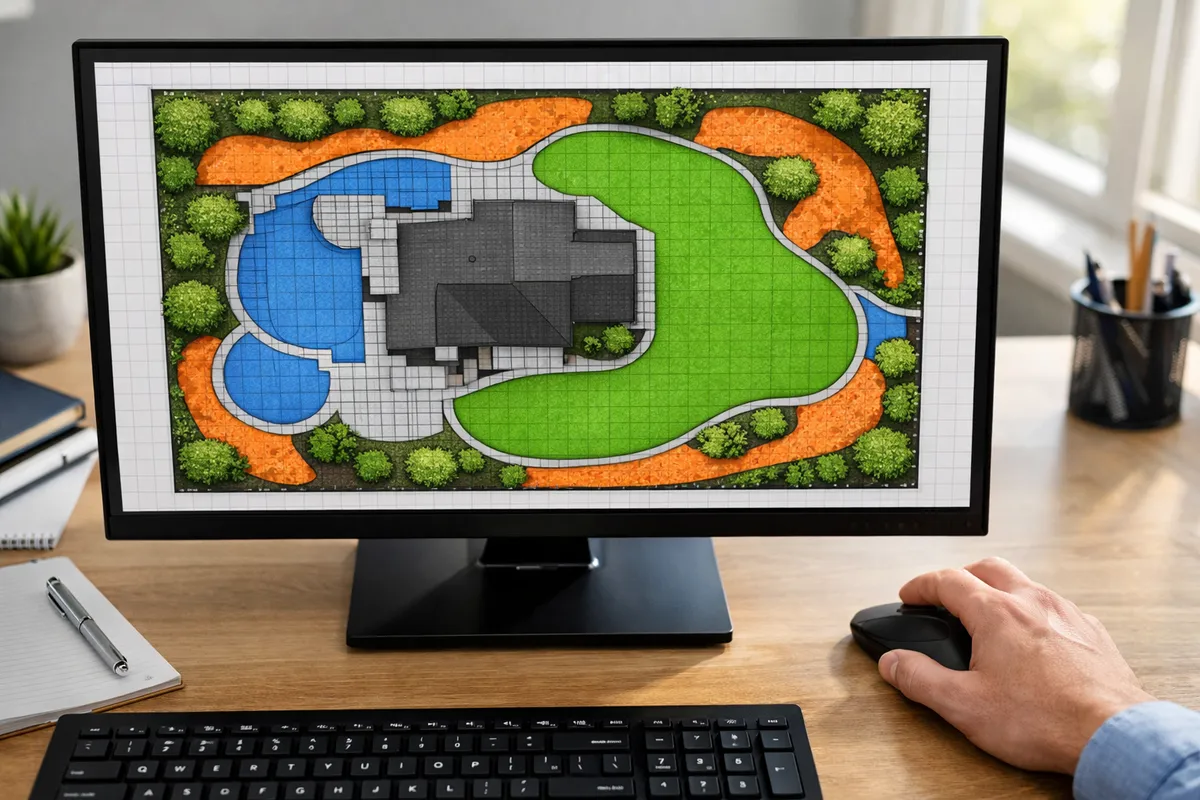
Takeoff
"How much material do I need?"
Measures quantities from plans or blueprints. Click and trace areas to calculate square footage, linear feet, cubic yards, and item counts. The output is a quantity list, not a price.
Tools: PlanSwift, STACK, Bluebeam Revu
Estimating / Job Costing
"How much will it cost me?"
Applies labor rates, material prices, burden, travel time, overhead, and margin to your quantities. Answers whether the job is profitable before you set the selling price.
Tools: GreenMargins, LMN, Buildxact
Quoting / Proposals
"What do I charge the customer?"
Creates the customer-facing document with line items, terms, and a total price. Focuses on presentation, e-signatures, and follow-up, not on whether the price actually covers your costs.
Tools: Jobber, ServiceTitan, Housecall Pro
The most common mistake: Contractors search for "takeoff software" when they actually need estimating or job costing. If you measure on site (not from plans), you do not need a takeoff tool. You need software that prices your labor, materials, and overhead correctly. Scroll to the decision guide if you are unsure which category fits your business.
How Takeoff Fits Into a Landscape Bid
On larger install jobs (paver patios, retaining walls, commercial planting plans), there is a specific sequence from measurement to money. Understanding this flow helps you pick the right tool for the step you struggle with most.
Receive Plans or Drawings
Your client, architect, or GC sends PDF plans, CAD drawings, or a site survey. For residential, this might be a landscape design; for commercial, it is often a full civil plan set.
Takeoff: Measure Quantities
Open the plan in takeoff software. Click and trace to measure: 1,400 sq ft of pavers, 320 linear ft of edging, 18 cubic yards of base material, 42 shrubs. The software outputs a quantity list. This is all takeoff does.
Estimate: Price the Work
Take those quantities and apply your costs: labor hours × burdened rate, material prices with waste and delivery, travel time, equipment, overhead allocation. This step tells you what the job actually costs you. GreenMargins automates this step.
Quote: Set the Selling Price
Add your target margin, package the numbers into a professional proposal, and send it to the client. If you skipped step 3, your margin is a guess.
Where most landscapers lose money: They jump from step 1 (or a site visit) straight to step 4, quoting a price without fully costing the job. Takeoff software helps with step 2. Estimating software like GreenMargins helps with step 3. Both are important, but step 3 is where margin protection happens.
Landscape Takeoff & Estimating Software Compared
This table compares the tools landscapers search for when they look for "takeoff software." Some are true takeoff tools (plan measurement), others are estimating or job costing platforms. The "Primary Function" column tells you which step each tool actually handles.
| Software | Primary Function | Starting Price | Best For | Watch Out For | Trial |
|---|---|---|---|---|---|
| PlanSwift | TAKEOFF | $2,000/yr subscription | Solo estimators measuring from plans fast | Desktop only, no cloud collaboration, no landscaping-specific assemblies | 14-day free |
| STACK | TAKEOFF + BID MGMT | From $249/user/mo (billed annually) | Teams with multiple estimators on commercial bids | Enterprise pricing model, complex onboarding, overkill for small crews | Free plan (limited) |
| Bluebeam Revu | MARKUP + TAKEOFF | From $260/user/yr (Basics) to $440/user/yr (Complete) | Contractors who also do plan markup, RFIs, and coordination | Steeper learning curve, not landscaping-specific, measurement tools are secondary to markup | 30-day free |
| Buildxact | TAKEOFF + ESTIMATING | $199/mo ($169/mo billed annually) | Residential builders who also do landscape | Designed for home builders, not landscape-specific; limited maintenance/recurring job support | 14-day free |
| GreenMarginsRECOMMENDED | ESTIMATING + JOB COSTING | From $47/mo (USD) | Landscapers who estimate from site visits and need margin visibility | Not a plan measurement tool; handles pricing, not takeoffs from blueprints | 14-day free, no card |
* Pricing checked against official vendor pricing pages in July 2026. Most plans shown are billed annually.
Detailed Reviews: Each Tool Explained
PlanSwift
PlanSwift is a desktop takeoff application built for contractors who measure quantities from PDF plans. You import a plan, set the scale, and then click or drag to measure areas, linear segments, and individual counts. It exports quantity lists to Excel or integrates with some estimating tools.
Strengths for Landscaping
- ✓ Fast area and linear takeoffs (pavers, edging, mulch beds)
- ✓ Customizable item database for your own materials
- ✓ 14-day free trial with full features
Limitations
- ✗ Desktop only, no cloud access or mobile
- ✗ No landscaping-specific assemblies out of the box
- ✗ Does not calculate labor burden, overhead, or profit margin
- ✗ No team collaboration features
Best fit: Solo estimators or small teams that regularly bid hardscape installs from architect plans and want the fastest way to pull quantities. Pair with GreenMargins or LMN for pricing.
STACK
STACK is a cloud-based preconstruction platform that combines takeoff, estimating, and bid management. It is designed for commercial contractors and larger teams that need multiple estimators working on the same plan set. STACK includes prebuilt assemblies and material databases for common trades.
Strengths for Landscaping
- ✓ Cloud-based: access from any device
- ✓ Team collaboration on plan sets
- ✓ Prebuilt assemblies speed up repeat takeoffs
- ✓ Bid management and subcontractor tracking
Limitations
- ✗ Enterprise pricing alienates small landscaping crews
- ✗ Complex onboarding for simple landscaping takeoffs
- ✗ Assemblies are construction-focused, not landscape-specific
- ✗ No built-in labor burden or overhead allocation
Best fit: Commercial landscape contractors with dedicated estimating teams bidding on subdivision build-outs, municipal projects, or multi-phase developments. Overkill for most residential work.
Bluebeam Revu
Bluebeam Revu is primarily a PDF markup and collaboration tool used across construction. Its measurement tools can handle basic takeoffs, but it is not purpose-built for quantity takeoff the way PlanSwift or STACK are. Landscapers who already use Bluebeam for plan review and RFIs can use its measurement features as a secondary benefit.
Strengths for Landscaping
- ✓ Industry-standard PDF markup and coordination
- ✓ Area, length, perimeter, and count measurements
- ✓ Deep collaboration features (Studio Sessions)
- ✓ 30-day free trial
Limitations
- ✗ Takeoff is a secondary feature, not the core product
- ✗ No material database or assemblies
- ✗ Learning curve is steeper than PlanSwift
- ✗ No estimating, costing, or margin calculation
Best fit: Landscape contractors who also handle architectural coordination, plan markup, and document management. If you only need measurements, PlanSwift is simpler and better suited.
Buildxact
Buildxact combines takeoff measurements with estimating in a single cloud platform. It was designed primarily for residential home builders and renovators, but some landscape contractors use it when their work overlaps with building (decks, outdoor structures, hardscape). Its takeoff tools feed directly into cost estimates.
Strengths for Landscaping
- ✓ Combined takeoff + estimating in one tool
- ✓ Cloud-based with supplier price integrations
- ✓ Automatic material lists from plan measurements
- ✓ 14-day free trial
Limitations
- ✗ Built for home builders, not landscape-specific
- ✗ No maintenance or recurring service support
- ✗ Material database focused on building trades
- ✗ Lower $169/mo rate requires annual billing
Best fit: Design-build landscape firms that also construct decks, pergolas, outdoor kitchens, and similar building-adjacent work. Less useful for maintenance-heavy or mowing-focused companies.
GreenMargins
RECOMMENDEDGreenMargins is not a takeoff tool. It handles the step that comes after takeoff, or the step that replaces takeoff when you measure on site. You enter your quantities (from a site visit, saved service templates, or takeoff export), and GreenMargins calculates the full cost: burdened labor, travel time, vehicle cost, materials with markup, overhead allocation, and target margin. You see exact profit in dollars before you send the quote.
Strengths for Landscaping
- ✓ Built specifically for landscaping contractors
- ✓ Calculates labor burden (payroll tax, WCB, benefits)
- ✓ Google Maps travel time and vehicle cost integration
- ✓ Overhead allocation per job, not just a flat %
- ✓ Shows profit margin before the quote goes out
- ✓ From $47/month with 14-day free trial, no credit card
Limitations
- ✗ Does not measure plans or blueprints
- ✗ Not a scheduling, dispatch, or CRM tool
Best fit: Any landscape contractor who wants to know their real profit before sending a quote. Works as a standalone job costing tool or pairs with takeoff software (PlanSwift, STACK) for larger install work.
Upload one estimate — see every hidden cost and your true margin in 60 seconds. Free, no signup needed. Or start a free trial.
No credit card required · from $47/month after trial
Worked Example: $28,000 Paver Patio Bid from Plans
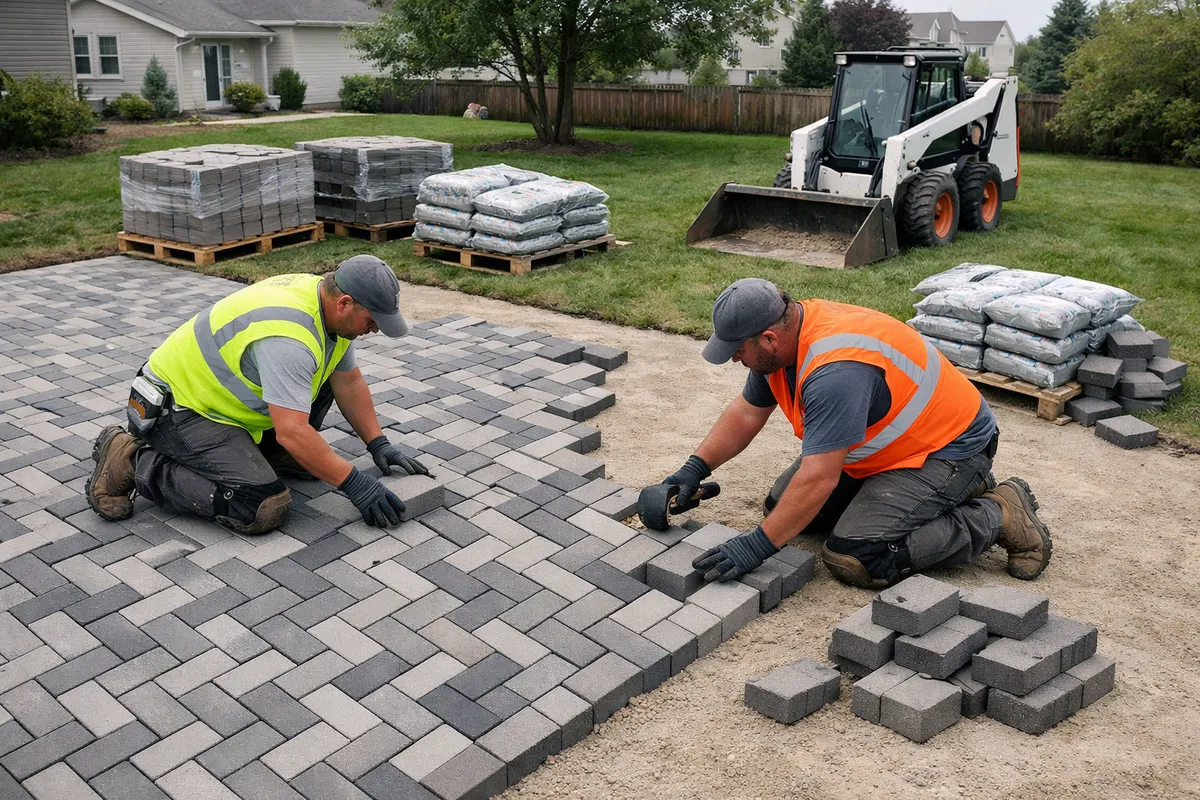
This example shows the full workflow from takeoff to profitable quote for a residential paver patio project. It illustrates why takeoff alone is not enough, and where most landscapers leave money on the table.
The Job
A homeowner sends landscape plans for a 1,200 sq ft paver patio with a seating wall, 4-inch gravel base, polymeric sand, and perimeter edging. You need to bid competitively and still make money.
Step 1: Takeoff Output (PlanSwift)
- Paver area1,200 sq ft
- Pavers needed (+ 10% waste)1,320 sq ft
- Gravel base (4" depth)14.8 cu yd
- Bedding sand (1" depth)3.7 cu yd
- Perimeter edging142 lin ft
- Polymeric sand32 bags
- Seating wall block180 units
- Wall caps36 units
This is all takeoff software gives you: quantities, not costs.
Step 2: What Most Contractors Quote
- Materials (priced from supplier list)$8,400
- Labor (3 workers × 5 days × $28/hr)$3,360
- Estimated Cost$11,760
- Quote at 2.3× markup$27,048
Looks like a $15,000+ profit. But critical costs are missing from this calculation.
Step 3: Full Job Cost (GreenMargins)
Labor (Burdened)
- 3 workers × 40 hrs × $28/hr$3,360.00
- Labor burden @ 38% (CPP, EI, WCB, vacation)$1,276.80
- True labor cost$4,636.80
Travel & Equipment
- Travel time (35 min × 3 workers × 5 days)$735.00
- Vehicle cost (22 km × $1.10/km × 5 days)$121.00
- Plate compactor rental (5 days)$375.00
- Skid steer rental (2 days)$650.00
Materials
- Pavers (1,320 sq ft × $4.20)$5,544.00
- Gravel base (14.8 yd × $45)$666.00
- Bedding sand (3.7 yd × $40)$148.00
- Edging, poly sand, wall block, caps$2,142.00
- Delivery (2 loads)$280.00
Overhead
- Insurance allocation$420.00
- Office/admin overhead$310.00
- Small tools & consumables$85.00
- True Total Cost$16,113.60
- Difference from simple estimate ($11,760)+$4,353.60 hidden
If you quote $27,048 (basic math)
Actual profit: $27,048 − $16,113.60 = $10,934.40
Actual margin: 40.4% (you expected 57%)
Not a disaster on this job, but you left $4,353 in hidden costs unaccounted for. At 50+ jobs per year, that adds up to over $200,000 in untracked cost.
GreenMargins pricing suggestion
For a healthy 35% margin: $24,790
For a competitive 28% margin: $22,380
You know exactly what you will make at every price point. No surprises at year-end.
Key takeaway: Takeoff gave you the quantities. But without proper job costing, you would have missed $4,353.60 in labor burden, travel, equipment rental, and overhead. On a 5-day hardscape job, that is $870/day in invisible cost. Takeoff software and estimating software solve different problems. Most contractors need both.
See what your jobs actually cost before the quote goes out.
See what one quote is costing youUpload one estimate — see every hidden cost and your true margin in 60 seconds. Free, no signup needed. Or start a free trial.
No credit card required · from $47/month after trial
Do You Actually Need Takeoff Software?
This is the question most blog posts skip. Not every landscape contractor needs takeoff software. Here is a practical decision guide based on the type of work you do. And if your jobs never come with drawings at all, there's a different approach entirely: landscape takeoff from an address: trace the property on satellite imagery and get the square footage, no plans needed.

You probably need takeoff software if...
- •You regularly bid on jobs from architectural or engineering plans (not site visits)
- •Your projects frequently involve large hardscape installs: patios over 1,000 sq ft, retaining walls, commercial planting from plan sets
- •You bid on subdivision or commercial development work where plans are the only way to get quantities
- •You spend more than 2 hours per bid manually measuring quantities from drawings
- •You submit bids to general contractors or municipalities that require detailed quantity breakdowns
Recommended: PlanSwift (solo) or STACK (teams) + GreenMargins for pricing
See what one quote is costing youUpload one estimate — see every hidden cost and your true margin in 60 seconds. Free, no signup needed. Or start a free trial.
You probably do NOT need takeoff software if...
- •You estimate on site by walking the property and measuring with a wheel or tape
- •Your work is primarily maintenance, mowing, or recurring services
- •Most of your jobs are under $10,000 and do not involve formal drawings
- •You do enhancement work like mulch, pruning, garden beds, and cleanups, where quantities are straightforward
- •Your biggest problem is pricing and margins, not measuring
Recommended: GreenMargins for job costing and margin visibility (from $47/month)
See what one quote is costing youUpload one estimate — see every hidden cost and your true margin in 60 seconds. Free, no signup needed. Or start a free trial.
You might need both if...
- •You do a mix of maintenance and install work, some from site visits, some from plans
- •You are growing into larger commercial work but still run residential maintenance routes
- •You want to bid on GC subcontracts but most of your revenue is direct-to-homeowner
Recommended: Start with GreenMargins, add PlanSwift when plan-based bidding becomes 30%+ of your pipeline
See what one quote is costing youUpload one estimate — see every hidden cost and your true margin in 60 seconds. Free, no signup needed. Or start a free trial.
The Cost Problem Takeoff Software Does Not Solve
Even with perfect measurements, your bid can still lose money if your pricing does not account for the cost variables that change between seasons, suppliers, and job sites. No takeoff tool addresses these, and most estimating tools miss them too. That pricing half is what landscape estimating software is built for — burdened labor, travel, overhead allocation, and live margin on every bid.
Seasonal Material Price Swings
Gravel that costs $38/cubic yard in March may cost $52/yard by June when every contractor in town is buying. Mulch prices shift between spring bulk orders and mid-summer restocks. If your estimating tool uses static prices, your margin shrinks as the season progresses. GreenMargins lets you update material costs per quote so each bid reflects current pricing.
Travel Time Across Job Sites
A 35-minute drive with 3 workers costs you $49 in wages per trip (at $28/hr burdened). Multiply by twice a day for 5 days and you have $490 in travel labor alone, before you count fuel and vehicle wear. Takeoff software has no concept of drive time. GreenMargins calculates this automatically using Google Maps.
Labor Burden (The 35-40% You Probably Miss)
A $28/hr employee actually costs $37.80-$39.20/hr when you add CPP/EI, workers comp, vacation pay, and benefits. On a 120-hour project, the difference between $28/hr and $38/hr is $1,200 in cost you probably did not include in the bid. Takeoff software does not know or care about labor burden.
Overhead Allocation Per Job
Your monthly overhead (insurance, truck payments, shop rent, office costs, software subscriptions) needs to be covered by your jobs. If you run 8-12 jobs per month, each job needs to carry $250-$800 in overhead depending on your fixed costs. Most contractors add a flat % markup and hope it covers everything. GreenMargins allocates overhead per job based on your actual numbers.
The point is simple: Takeoff software tells you how much material you need. Estimating software tells you how much it will cost. These are different questions with different answers. The best workflow uses takeoff for measurement and a tool like GreenMargins for pricing.
Getting Started: Migration and Implementation
One of the biggest barriers to adopting new software is switching cost: how long it takes to set up and start using a tool without disrupting your bidding flow. Here is what to expect. If you're actually evaluating full business-management platforms rather than takeoff tools, start with our Aspire vs LMN vs DynaScape comparison instead.
Takeoff Software (PlanSwift, STACK)
- • Install or sign up (30 minutes)
- • Learn scale calibration and measurement tools (1-2 hours)
- • Build your material database/assemblies (2-4 hours)
- • First real takeoff: slower than manual, then faster
- • Break-even point: typically 3-5 takeoffs in
Expect 4-6 hours total to be productive. ROI is clear if you measure from plans more than twice per month.
Estimating Software (GreenMargins)
- ✓ Sign up and enter your rates (20 minutes)
- ✓ Set labor burden, overhead, and travel defaults (15 minutes)
- ✓ Create your first quote with full cost visibility (10 minutes)
- ✓ No data migration required, start with new quotes
- ✓ Prebuilt service templates for common landscape work
Under 1 hour to your first fully-costed quote. 14-day free trial, no credit card required.
From Spreadsheets to Software
If you currently estimate in Excel or Google Sheets, switching does not have to be all-or-nothing. You can run your next 5 quotes through both your spreadsheet and the new tool to compare results. Most contractors who do this find that their spreadsheet was missing at least one cost category (usually labor burden or travel time), which means their old quotes were underpriced by 8-15%.
Frequently Asked Questions
Related Guides
Best Landscaping Quoting Software (2026)
Compare quoting, estimating, and job costing tools for small landscaping businesses
What Software Do Landscapers Use to Calculate Job Costs?
Overview of job costing software options for landscaping
How Landscapers Track Material Costs
Material markup strategies and supplier management
What's Better Than Jobber for Job Costing?
Compare Jobber vs dedicated job costing software
Know Your Real Cost Before You Send the Quote
Takeoff gives you the quantities. GreenMargins gives you the profit.
From $47/month (US) · 14-day free trial · No credit card required
See what one quote is costing youUpload one estimate — see every hidden cost and your true margin in 60 seconds. Free, no signup needed. Or start a free trial.